Contents
- Index
Other Tab of Plot Options Dialog Box
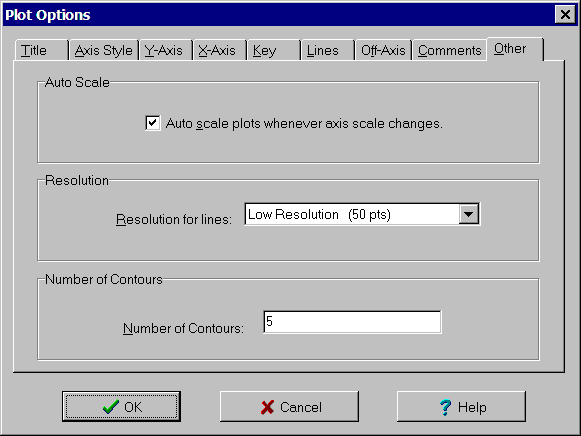
The Other tab of the Plot Options dialog box is used to specify whether to auto scale and for selecting resolution. The controls are:
Auto Scale check box: Checking this box turns on auto scaling. For line and interaction plots and when auto scaling is on, the Y-axis is automatically rescaled whenever the scale of the X-axis is changed in order to insure the plotted lines remain visible. For contour plots and when auto scaling is on, the values associated with the contours are automatically rescaled whenever the scale of the X-axis or Y-axis is changed in order to insure the contours remain visible.
Resolution list box: Used to specify the number of lines segments used to approximate the curves. The more segments, the smoother the curve. The default is low resolution (50 points). While this is fine for displaying the plots on the screen, it may create some jaggedness when printed on a high resolution printer. Increase the resolution to improve the appearance.
Number Lines/Contours edit box: Only displayed for interaction and contour plots. Specifies the number of lines on an interaction plot and the number of contour values on an contour plot.