Contents
- Index
Add or Edit Category Dialog Box
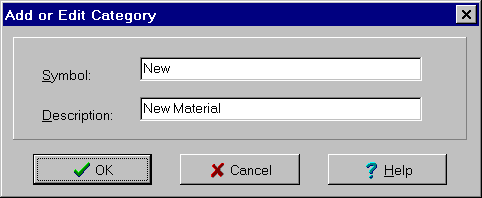
The Add or Edit Category dialog box is used to add a new category and to edit an existing category. A symbol and description of the category must be specified. This dialog box is displayed as a result of pressing the Add Category or Edit Category buttons on the Category Input dialog box. The dialog controls are:
Symbol edit box:
Used to enter the symbol associated with the new category. This symbol is used in equations referencing this variable. It must be a valid symbol.
Description edit box:
Description of category. Can be any combination of characters and any length.
To close the dialog box and save the changes, click the OK button. To cancel the changes including the addition of a new category, click the Cancel button, press the Esc key or click the X in the upper right corner of the dialog box. For help, click the Help button or press the F1 key.