Contents
- Index
Number Standard Deviations For Intervals For Values Dialog Box
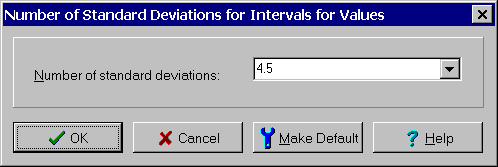
The Number Standard Deviations for Intervals for Values dialog box is used to change the number of standard deviations used to calculate intervals for values. It is displayed by selecting the Number Standard Deviations for Intervals for Values... menu item from the Options menu. The dialog controls are:
Number Standard Deviations combo box: Use to enter a new value for the number of standard deviations. Type a value or select one from the list. Values are limited to the range 1.0 to 6.0. A value of 4.5 when combined with process tolerancing results in an interval for values that if it is inside the specification limits means that Six Sigma quality has been achieved. A value of 3 has been used historically in conjunction with statistical tolerancing but this practice results in high levels of defects.
Once the number of standard deviations has been entered, click the OK button or press the Enter key to save the change. If the information entered is incorrect, an error message will be displayed. Otherwise the setting is updated and all effected child windows are notified of the change.
Clicking the Make Default button makes the value displayed in the Number Standard Deviations combo box the new default value. An error message is displayed if it is not a valid number between 1.0 and 6.0. This new default value will effect all new sessions but does not effect previously saved sessions. It also will not effect the current session unless the OK button is also selected.
Clicking the Cancel button or pressing the Esc key closes the dialog box without making a change.