Contents
- Index
Number Duplicate Copies Dialog Box
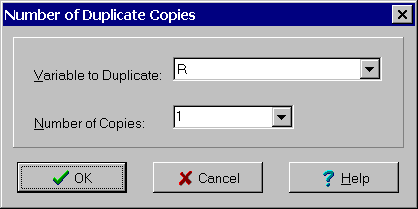
The Number Duplicate Copies dialog box is used to make duplicate copies of a variable. It saves times when there are a large number of similar inputs that must be entered. It is displayed by selecting the Duplicate Variable... menu item from the Variables menu. The dialog controls are:
Variable to Duplicate combo box:
Use to select the variable to duplicate.
Number of Copies combo box:
Use to enter the number of duplicate copies to be made. Must be an integer between 1 and 40.
Once the required information is entered, click the OK button or press the Enter key to close the dialog box and make the duplicate copies. All effected child windows are notified of the change.
Clicking the Cancel button or pressing the Esc key instead closes the dialog box without duplicating a variable.