Contents
- Index
Plot Window
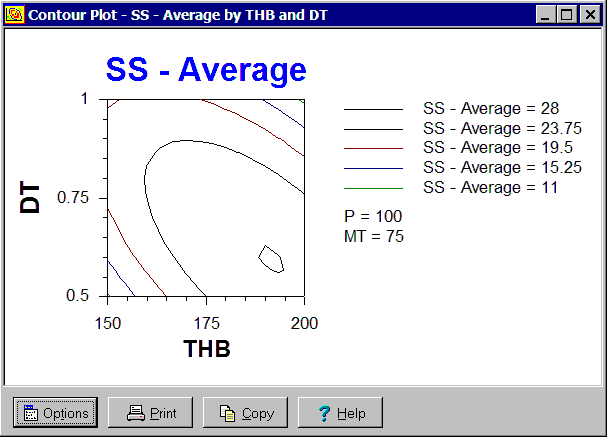
The Plot window is a child window used to display plots. It is displayed by pressing the Window button on the Plots dialog box.
One cannot change the inputs or output variables plotted in a plot window. A new plot must be generated using the Plots dialog box. Further, the Plot window will automatically close itself if a change is made to the I/O system which makes it impossible to update the plot. Examples include the deletion of one of the variables plotted and a change in an equation that adds or removes an input.
One can change the value of any continuous input variable not included in the plot. These are called off-axis variables. All plots are drawn for the currently selected category of any category input variable. If a new category is selected, the plot is updated. The Plot window draws a red X through itself when it is not current. Clicking on the window will cause it to redraw itself.
The buttons and controls at the bottom can be hidden by removing the check from the Show Buttons menu item on the Options menu. When hidden, the popup menu can still be used to perform the functions of these buttons and controls. The following buttons and controls are available:
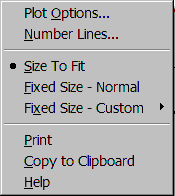
 Clicking this button displays the popup menu below associated with this window. This popup menu has menu items that correspond to each of the buttons and controls shown at the bottom of the window. In addition, the Plot Options menu item displays
 Plot Options dialog box for changing the appearance of the plot. The Number Line menu item only appears on interaction and contour plots and is used to change the number of lines displayed. The remaining menu items can be used to change how the graphic is sized within the window. A short cut is to right mouse click on the graphic.
 Prints the graphic on the selected tab. Shortcuts are to click the Print button on the toolbar or to select the Print menu item on the
 File menu.
 Copies the graphic on the selected tab to the clipboard. Shortcuts are to click the Copy to Clipboard button on the toolbar or to select the Copy to Clipboard menu item on the
 File menu.
 Displays help on using this window. Short cut is to press F1 key.